

Here is a quick hack that I wrote. It's a Python library to search Google without using their API. It's quick and dirty, just the way I love it.
Why didn't I use Google's provided REST API? Because it says "you can only get up to 8 results in a single call and you can't go beyond the first 32 results". Seriously, what am I gonna do with just 32 results?
I wrote it because I want to do various Google hacks automatically, monitor popularity of some keywords and sites, and to use it for various other reasons.
One of my next post is going to extend on this library and build a tool that perfects your English. I have been using Google for a while to find the correct use of various English idioms, phrases, and grammar. For example, "i am programmer" vs. "i am a programmer". The first one is missing an indefinite article "a", but the second is correct. Googling for these terms reveal that the first has 6,230 results, but the second has 136,000 results, so I pretty much trust that the 2nd is more correct than the first.
Subscribe to my posts via catonmat's rss, if you are intrigued and would love to receive my posts automatically!
How to use the library?
First download the xgoogle library, and extract it somewhere.
Download: xgoogle library (.zip)
Downloaded: 12755 times.
Download url: http://www.catonmat.net/download/xgoogle.zip
At the moment it contains just the code for Google search, but in the future I will add other searches (google sets, google suggest, etc).
To use the search, from "xgoogle.search" import "GoogleSearch" and, optionally, "SearchError".
GoogleSearch is the class you will use to do Google searches. SearchError is an exception class that GoogleSearch throws in case of various errors.
Pass the keyword you want to search as the first parameter to GoogleSearch's constructor. The constructed object has several public methods and properties:
- method get_results() - gets a page of results, returning a list of SearchResult objects. It returns an empty list if there are no more results.
- property num_results - returns number of search results found.
- property results_per_page - sets/gets the number of results to get per page. Possible values are 10, 25, 50, 100.
- property page - sets/gets the search page.
As I said, get_results() method returns a SearchResult object. It has three attributes -- "title", "desc", and "url". They are Unicode strings, so do a proper encoding before outputting them.
Here is a screenshot that illustrates the "title", "desc", and "url" attributes:

Google search result for "catonmat".
Here is an example program of doing a Google search. It takes the first argument, does a search on it, and prints the results:
from xgoogle.search import GoogleSearch, SearchError
try:
gs = GoogleSearch("quick and dirty")
gs.results_per_page = 50
results = gs.get_results()
for res in results:
print res.title.encode("utf8")
print res.desc.encode("utf8")
print res.url.encode("utf8")
print
except SearchError, e:
print "Search failed: %s" % e
This code fragment sets up a search for "quick and dirty" and specifies that a result page should have 50 results. Then it calls get_results() to get a page of results. Finally it prints the title, description and url of each search result.
Here is the output from running this program:
Quick-and-dirty - Wikipedia, the free encyclopedia Quick-and-dirty is a term used in reference to anything that is an easy way to implement a kludge. Its usage is popular among programmers, ... http://en.wikipedia.org/wiki/Quick-and-dirty Grammar Girl's Quick and Dirty Tips for Better Writing - Wikipedia ... "Grammar Girl's Quick and Dirty Tips for Better Writing" is an educational podcast that was launched in July 2006 and the title of a print book that was ...Writing - 39k - http://en.wikipedia.org/wiki/Grammar_Girl%27s_Quick_and_Dirty_Tips_for_Better_Writing Quick & Dirty Tips :: Grammar Girl Quick & Dirty Tips(tm) and related trademarks appearing on this website are the property of Mignon Fogarty, Inc. and Holtzbrinck Publishers Holdings, LLC. ... http://grammar.quickanddirtytips.com/ [...]
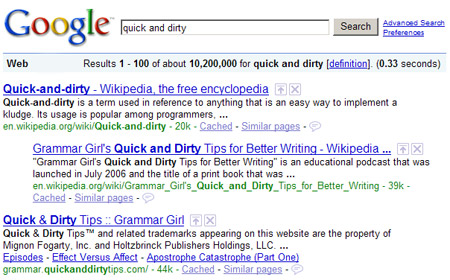
Compare these results to the output above.
You could also have specified which search page to start the search from. For example, the following code will get 25 results per page and start the search at 2nd page.
gs = GoogleSearch("quick and dirty")
gs.results_per_page = 25
gs.page = 2
results = gs.get_results()
You can also quickly write a scraper to get all the results for a given search term:
from xgoogle.search import GoogleSearch, SearchError
try:
gs = GoogleSearch("quantum mechanics")
gs.results_per_page = 100
results = []
while True:
tmp = gs.get_results()
if not tmp: # no more results were found
break
results.extend(tmp)
# ... do something with all the results ...
except SearchError, e:
print "Search failed: %s" % e
You can use this library to constantly monitor how your website is ranking for a given search term. Suppose your website has a domain "catonmat.net" and the search term you want to find your position for is "python videos".
Here is a code that outputs your ranking: (it looks through first 100 results, if you need more, put a loop there)
import re
from urlparse import urlparse
from xgoogle.search import GoogleSearch, SearchError
target_domain = "catonmat.net"
target_keyword = "python videos"
def mk_nice_domain(domain):
"""
convert domain into a nicer one (eg. www3.google.com into google.com)
"""
domain = re.sub("^www(\d+)?\.", "", domain)
# add more here
return domain
gs = GoogleSearch(target_keyword)
gs.results_per_page = 100
results = gs.get_results()
for idx, res in enumerate(results):
parsed = urlparse(res.url)
domain = mk_nice_domain(parsed.netloc)
if domain == target_domain:
print "Ranking position %d for keyword '%s' on domain %s" % (idx+1, target_keyword, target_domain)
Output of this program:
Ranking position 6 for keyword python videos on domain catonmat.net Ranking position 7 for keyword python videos on domain catonmat.net
Here is a much wicked example. It uses the GeoIP Python module to find all 10 websites for keyword "wicked code" that are physically hosting in California or New York in USA. Make sure you download GeoCityLite database from "http://www.maxmind.com/download/geoip/database/GeoLiteCity.dat.gz" and extract it to "/usr/local/geo_ip".
import GeoIP
from urlparse import urlparse
from xgoogle.search import GoogleSearch, SearchError
class Geo(object):
GEO_PATH = "/usr/local/geo_ip/GeoLiteCity.dat"
def __init__(self):
self.geo = GeoIP.open(Geo.GEO_PATH, GeoIP.GEOIP_STANDARD)
def detect_by_host(self, host):
try:
gir = self.geo.record_by_name(host)
return {'country': gir['country_code'].lower(),
'region': gir['region'].lower()}
except Exception, e:
return {'country': 'none', 'region': 'none'}
dst_country = 'us'
dst_states = ['ca', 'ny']
dst_keyword = "wicked code"
num_results = 10
final_results = []
geo = Geo()
gs = GoogleSearch(dst_keyword)
gs.results_per_page = 100
seen_websites = []
while len(final_results) < num_results:
results = gs.get_results()
domains = [urlparse(r.url).netloc for r in results]
for d in domains:
geo_loc = geo.detect_by_host(d)
if (geo_loc['country'] == dst_country and
geo_loc['region'] in dst_states and
d not in seen_websites):
final_results.append((d, geo_loc['region']))
seen_websites.append(d)
if len(final_results) == num_results:
break
print "Found %d websites:" % len(final_results)
for w in final_results:
print "%s (state: %s)" % w
Here is the output of running it:
Found 10 websites: www.wickedcode.com (state: ca) www.retailmenot.com (state: ca) www.simplyhired.com (state: ca) archdipesh.blogspot.com (state: ca) wagnerblog.com (state: ca) answers.yahoo.com (state: ca) devsnippets.com (state: ca) friendfeed.com (state: ca) www.thedacs.com (state: ny) www.tipsdotnet.com (state: ca)
You may modify these examples the way you wish. I'd love to hear some comments about what you can come up with!
And just for fun, here are some other simple uses:
You can make your own Google Fight:
import sys
from xgoogle.search import GoogleSearch, SearchError
args = sys.argv[1:]
if len(args) < 2:
print 'Usage: google_fight.py "keyword 1" "keyword 2"'
sys.exit(1)
try:
n0 = GoogleSearch('"%s"' % args[0]).num_results
n1 = GoogleSearch('"%s"' % args[1]).num_results
except SearchError, e:
print "Google search failed: %s" % e
sys.exit(1)
if n0 > n1:
print "%s wins with %d results! (%s had %d)" % (args[0], n0, args[1], n1)
elif n1 > n0:
print "%s wins with %d results! (%s had %d)" % (args[1], n1, args[0], n0)
else:
print "It's a tie! Both keywords have %d results!" % n1
Download: google_fight.py
Downloaded: 2363 times.
Download url: http://www.catonmat.net/download/google_fight.py
Here is an example usage of google_fight.py:
$ ./google_fight.py google microsoft google wins with 2680000000 results! (microsoft had 664000000) $ ./google_fight.py "linux ubuntu" "linux gentoo" linux ubuntu wins with 4300000 results! (linux gentoo had 863000)
After I wrote this, I generalized this Google Fight to take N keywords, and made their passing to program easier by allowing them to be separated by a comma.
import sys
from operator import itemgetter
from xgoogle.search import GoogleSearch, SearchError
args = sys.argv[1:]
if not args:
print "Usage: google_fight.py keyword one, keyword two, ..."
sys.exit(1)
keywords = [k.strip() for k in ' '.join(args).split(',')]
try:
results = [(k, GoogleSearch('"%s"' % k).num_results) for k in keywords]
except SearchError, e:
print "Google search failed: %s" % e
sys.exit(1)
results.sort(key=itemgetter(1), reverse=True)
for res in results:
print "%s: %d" % res
Download: google_fight2.py
Downloaded: 2078 times.
Download url: http://www.catonmat.net/download/google_fight2.py
Here is an example usage of google_fight2.py:
$ ./google_fight2.py earth atmospehere, sun atmosphere, moon atmosphere, jupiter atmosphere earth atmospehere: 685000 jupiter atmosphere: 31400 sun atmosphere: 24900 moon atmosphere: 8130
I am going to expand on this library and add search for Google Sets, Google Sponsored Links, Google Suggest, and perhaps some other Google searches. Then I'm going to build various tools on them, like a sponsored links competitor finder, use Google Suggest together with Google Sets to find various phrases in English, and apply them to tens of other my ideas.
Download "xgoogle" library and examples:
Download: xgoogle library (.zip)
Downloaded: 12755 times.
Download url: http://www.catonmat.net/download/xgoogle.zip
Download: google_fight.py
Downloaded: 2363 times.
Download url: http://www.catonmat.net/download/google_fight.py
Download: google_fight2.py
Downloaded: 2078 times.
Download url: http://www.catonmat.net/download/google_fight2.py


Hacker Newsletter - a weekly newsletter of the best articles on startups, programming, and more.
Twitter
Facebook
Plurk
more
GitHub
LinkedIn
FriendFeed
Google Plus
Amazon wish list
Comments
Doesn't google throttle you after a while, if you scrape their pages too often? Too many requests from one IP and Google stops responding...
I usually google words to get the correct spell of it. Actually I had an idea a while ago to make a editor based on phrases popularity :P
Looks like the scraper example you published pulls tons of dupes. Any way to fix?
Jorge, it does. got to be careful. put a sleep between calls if you are doing a lot of scraping.
Daniel, me too. I have had this idea for a while as well. :)
Steve, can you tell me the query you used? Google sometimes displays 2 results from the same site (2nd usually indented to the right), that's an ok behavior. One way to escape that is to keep a list or dict of seen urls, then check if you have seen the url already.
Kid, use corpora for such checks, don't burn energy on google's servers. Jeez.
Just remember about http://www.google.com/support/webmasters/bin/answer.py?answer=66357&topic=15263 ;)
Kamil, are there publicly available corporas? I know google's one but it's on 6DVDs and costs $150.
Gints, shhhhhh.
as I said to you in private discussion, I still miss iteration so much. that would make xgoogle more pythonic and useful.
Gints beat me to commenting about that... which is why I've been using other search engines so far.
I've been looking into this kind of thing. I had found different python bindings to their ajax search.
http://dcortesi.com/2008/05/28/google-ajax-search-api-example-python-code/
and
http://anyall.org/blog/2008/11/python-bindings-to-googles-ajax-search-api/
This looks interesting though. Bookmarked.
Hi there,
you could also use the "pyajaxgoogle" binding [1] to search.
[1] http://daui.lophus.org/python/modules/pyajaxgoogle/
ME, not really. That is their api that gives 32 results.
Peteris: Yes, but at least it's legal.
Everything is legal... Having a mindset that something is illegal is just wrong (in a sense that you will always hold back from creating something cool, because you think it's illegal).
my college uses a proxy server(NTLM) which is with authentication.How do I use xgoogle?
Varun, you can set environment variable:
and then run the application that uses xgoogle.
Other way is to edit xgoogle/browser.py file and add
urllib2.ProxyHandler({'http':'www.someproxy.com:3128'})to list of handlers.
Hi! This is a beautifull example how to use google and python. I have my own projects with python. First i try to show the people what simple and good is python. I started with Romania.
Nice idea i will explore the code as a tutorial
Thanks a lot men :-)
Hi Peter, I was looking at your code. I have done a much simpler utility for searching google. I used to use beautifulsoup also, but now I use lxml and xpath. It produces much quicker and cleaner code... here is an example that returns an array of the urls and text:
from lxml import etree as et from urllib import quote_plus,urlopen def gsearch(q='',num=10,datelimit=''): returninfo=[] searchurl='http://google.com/search?hl=en&as_q=%s&num=%s&as_qdr=%s'%(quote_plus(q),str(num),datelimit) results=urlopen(searchurl).read() tree=et.fromstring(results,et.HTMLParser()) links=tree.xpath('/html/body[@id="gsr"]/div[@id="res"]/div[1]/ol/li/h3/a') for a in links: returninfo.append({'href':a.values()[0],'text':a.text}) return returninfoLet me know what you think!
Chad, thanks for leaving a comment. There are a couple of points that I want to make:
1. you don't check for errors - my code does very rigorous error checking so that my applications did not suddenly die because of unhandled exceptions.
2. i love the conciseness of your code - mine is 10x longer.
3. i did not know lxml supported xpath - very nice to learn that.
4. i know lxml is much faster than BeautifulSoup, but it's also less prone to malformed HTML. but perhaps in the case when we parse Google it's not that important.
That's everything that I can think of at the moment.
The code was just a snippet of some other code I have, but in regards to your points:
1. There are only 3 points where errors can creep in that I see:
1- if the urlopen fails or
2- during the htmlparser() if the html is super-malformed (same w/ BeautifulSoup).
3- if google changes their html format(but that will screw up almost any scraper)
The xpath and rest of the code will be work without problem since xpath will return '[]' if the xpath fails.
4. If you change the line:
tree=et.fromstring(results,et.HTMLParser())
to:
tree=et.fromstring(results,et.HTMLParser(recover=True))
then lxml handles malformed html almost as well as BeautifulSoup.
Anyways, I enjoy your blog, and just thought that I'd throw that out there.
Scraping is dangerous because all it takes is one change to destroy all the work.
How would you recommend folding this into a script that uses a set google query and set parameters and writes the output to a file? This way it could be used regularly without feeding it all the variables over and over... (Sorry if this is obvious to others out there!)
Hello,
Thank you for this nice library. It is very useful I think. I have got 503 errors, even if I use sleep between search actions. I think this can be related to agent setting. How can we set a custom browser agent in you code?
Volkan, it's somewhere in the source. I did not make it explicitly changble.
Just cant stop my self to comment on your blog. Good post.
Dude, awesome! This works for my IRC bot!
Any chance you'd be willing to put it up on Bitbucket or GitHub? :)
Oh - and licensing it as open source?
Doug, about bitbucket or github: Sure. I will. I just have to automate my tools more, to push out changes from my repo to bitbucket or github. I don't want to do anything manually. I haven't yet done this, but I soon will. At the moment the latest version is always at http://www.catonmat.net/download/xgoogle.zip.
Doug, about licensing: All my work is open source. You may use it any way you wish.
Hello,
thanks for a very nice lib.
I have added two more parameters domain and hl.
However changing the language parameters will give no results. It seems to be the html that is slightly different using i.e. hl=sv (swedish). I have been flagging your code for some hours now as this is my first time using python. Would you have the solution for this? Even though google.com?hl=en is probably the most used way, I am interested in the local versions as well.
Thanks!
Hi Peteris! I'm using your lib, but i've some problems surfing google pages. What is the best way to change it?
How can i know when they're over?
Regards
stray
Hi Stray! They are over when get_results() returns an empty list.
To get all results do this:
results = [] while True: tmp = gs.get_results() if not tmp: # no more results were found break results.extend(tmp)Hi!
Thanks a lot for the code! I was rather saddened to see pygoogle no longer being maintained, nor Google releasing any SOAP API keys any longer. This is perfect.
One thing I run across- I wondered if there was an easy way to enclose a search in quotes ("") instead of the default?
I'm searching for rather long strings that pretty much require some quotes around it to pull the exact results.
Thanks for any input!
tom
I have an error:
Search failed: Failed getting http://www.google.com/search?hl=en&q=quick+and+dirty&num=50&btnG=Google+Search: HTTP Error 503: Service Unavailable
What i do wrong?
Hi Peter,
I've used this library for a variety of things so I thought I would just pop in and say thanks for providing something that works well is easy to use.
I just started writing a replacement google library for my company's internal use. Like chad, I am also a huge fan of lxml for a variety of reasons. I also would like to make the library a bit more "pythonic" in general by adding smart generators so that you can iterate over results without worrying about what page they are on. I wrap your SearchResults objects already so I will probably provide a class/function hook in the constructor so can yield() instances of WhateverClass.
balcon: that 503 error is 99% likely to mean that you tried to scrape google too quickly. Bare minimum time between searches is about 10 seconds if you're doing more than 5-6 requests.
Cheers,
Nathan
Hi Pete! I'm again here to post :=)
You suggest me that they(google pages) are over when get_results() returns an empty list. Using your lib i've found it is not so true in fact look at this scenario:
-> Google results: 1680000
-> Dork: inurl:polito (it's my university :P)
... I print all links
-> Results: 100
But as you can see they're only 100 instead of 1680000. I don't demand to have all these outcomes (I've used your examples)
Have fun!
Regards
stray
Stray, here is the code that I just tried:
>>> from xgoogle.search import GoogleSearch >>> import time >>> >>> gs = GoogleSearch("inurl:polito") >>> gs.results_per_page = 100 >>> res = [] >>> while True: ... tmp = gs.get_results() ... if not tmp: ... break ... res.extend(tmp) ... time.sleep(5) ... >>> print len(res) 618Seems to work for me.
The thing is that Google can show that it has 10 billion results but in reality it will return only 1000 for any search. And if it thinks there are some duplicates in those 1000, then it will return even less. In this case it returned 618 results.
Did someone manage to use different parameters for other google domains and languages?
Kind regards,
lowel
I can't download xgoogle.zip file. Please fix link. Thanks very much.
AloneRoad, works for me. Try to see what is going on on your side.
I am getting the following error scraping Google from python:
urllib2.HTTPError: HTTP Error 503: Service Unavailable
Strange thing is that I can view results through a browser on the same machine(same IP etc) no problem. I am already masquarding the "User Agent Id' to mimic Firefox. I am also collecting in the cookies and feeding these back with the request.
Does anyone have an idea as to how Google will be telling the Python screen scraper versus the browser apart? Perhaps some other header in the request?
I would be very grateful to get anybodys thoughs and experiences on this.
Tom
Well done, thanks for providing this.
Given that your are a scientist, have a go at a 'quick and dirty', easy-to-use Google Scholar lib next. That's duly needed, as Google doesn't provide an API for that service (yet?).
The scientific community will be eternally thankful. Some use cases and suggestions can be found here:
http://code.google.com/p/google-ajax-apis/issues/detail?id=109
Alessandro, thanks for the comment. The never ending list of requests to add API for Google Scholar inspired me to write it right this very moment! I am doing it!
Tom, I didn't notice your comment.
Perhaps Google figured that your user agent was spammy. Try creating GoogleSearch object with random_agent argument set to true:
Thanks for the code, can't wait to put it to use!
Marhaban (More informal Hi, greetings in Arabic) Peter.
Firstly, Excellent work!
I do very specialized English to Arabic names and terms transcription work; verifying their integrity and veracity.
"Transcriptions" is the formal linguistic terminology for "spellings".
Without explaining further you can bring up my unique, very easy to use web page:
http://enartrans.com/transcription
Your xgoogle Google parser is what I've had in mind for a long time. Once I (the user) verifies which Arabic transcription variation(s) to use as search terms your Google parser is a powerful adjunct.
Here is my slight deviation on your original code with the native Arabic search term: native Arabic "Philadelphia".
For those of you versed in Arabic or other Semitic languages such as Hebrew Philadelphia in the incorrectly reads left to right where it should read right to left with contiguous characters.
Hopefully on the submit the Arabic characters will retain their at least human readable form even though they're in the wrong direction and not revert to some %hex encoding.
But no worries! From a functional respect it all correctly "comes out in the wash" (i.e. run the script)
My question is it seems on the whole your script works fine but on looking at a corresponding "native" Google search via Firefox I seem to be missing some URL's per page.
I was wondering if you have any plans to upgrade to different languages? Maybe there's some encodings not being recognized by your code ... perhaps some setting or designation I can do from my side?
That said the number of URLs I seem to miss nowhere near invalidates using your work as a wonderful adjunct to mine.
Job well done!
Regards,
Joel S.
# -*- coding: utf-8 -*-
import sys
sys.path.append(r'E:\MovableIdle-Python-2.5\xgoogle')
# http://www.catonmat.net/blog/python-library-for-google-search/
from xgoogle.search import GoogleSearch, SearchError
try:
gs = GoogleSearch("فيلادلفيا")
gs.results_per_page = 100
gs.page = 2
results = gs.get_results()
counter = 0
for res in results:
print res.title.encode('utf8')
print res.desc.encode('utf8')
print res.url.encode('utf8')
counter = counter + 1
print counter
print
except SearchError, e:
print "Search failed: %s" % e
Marhaban Peter; Quick addendum - on pasting my code snippet the Arabic Philadelphia seems to have "righted itself" and appears in perfect,correct human readable form reading right to left.
Yes, for anyone who wants to try my Python snippet it reverts back reading to right in the Python editor.
It should still work fine for you provided you make the proper tweaks from your system.
مع سلامة (Maa Salama or Ciao y'all in Arabic)
Joel S.
Peteris,
Thanks for sharing this code. I was wondering is there a particular reason why you are packaging the BeautifulSoup module in xgoogle?
Recently I've ran into troubles using a new version of BeautifulSoup with soup2text (http://svn.tools.ietf.org/svn/tools/ietfdb/sprint/73/rjs/ietf/utils/soup2text.py) and using an older version fixed the problem.
Did you encounter a similar situation and if so do you know what additions in BeautifuSoup broke your code?
Hi Nicolas,
Yes, I encountered a similar situation. I am packaging BeautifulSoup in my code because it's the most stable version I have ever used. The new BS uses a different parsing engine and when doing tests it would throw unexpected errors such as EncodeError, IndexError and others. And the old one parses it just fine.
Looks awesome, very thorough. In my script I wrote a simple class with a static search method to grab result links from the page source... all I really needed at the time. Though this will definitely be useful to me in the future. Nicely done.
I am getting a weird error
your example code in the readme file works great in the interactive but fails when I put it in a file
this is the code -->
>>> from xgoogle.search import GoogleSearch
>>> gs = GoogleSearch("catonmat")
>>> gs.results_per_page = 25
>>> results = gs.get_results()
>>> for res in results:
... print res.title.encode('utf8')
$ ./xgoogle_mod.py
from: can't read /var/mail/xgoogle.search
./xgoogle_mod.py: line 4: syntax error near unexpected token `('
./xgoogle_mod.py: line 4: `gs = GoogleSearch("quick and dirty")'
Whyever is it looking for /var/mail/xgoogle, when I have it loaded in dist-pkgs where the interactive imports it just fine. What am I missing?
OK. Never mind, I got it working. back-tics crawled in somehow. gs=GoogleSearch(`name')
Thanks a lot for the awesome code man. This was exactly what I was looking for in order to write a lyric downloader for amarok in python.
"Google's Terms of Service do not allow the sending of automated queries of any sort to our system without express permission in advance from Google."
If every website adopted this policy, Google themselves would be out of business tomorrow. Or maybe compete with DMOZ. There probably exists no company that sends out more automated queries than Google. It's not exactly the height of hypocrisy, because they do respect robots.txt and if you don't want to be there you don't have to. However, we all know that if you are not to be found on google, you don't exist. Descartes famously said, "Cogito ergo sum" I think therefore I am. Today he would say, "Above the fold on google ergo sum."
Thanks for the handy script. I modified browser.py to support all languages when it parses from/to/total numbers:
http://www.cs.bris.ac.uk/pgrad/ebrahimi/tmp/browser.py
I'd like to modify the lib to search in differents web sites: google.com, google.com.SOME_COUNTRY, blogsearch.google.com, news.google.com
I'll try this afternoon. Do you think it's an easy task? I'll send you a patch then.
It shouldn't be difficult, Juanjo.
Clone latest code from github:
xgoogle at github.
Hey,
Does this API provide a method to get the estimated total number of results for a given search string?
no, don't bother answering my last question. my bad, i didn't read the post properly.
Hi,
I really loved this library. I had some problems with getting results for queries in Hebrew. It looks like it has problems parsing the results page.
Do you plan to add a support?
Thanks!
It's not too difficult to send an http query to ggogle and parse an answer. But what to do with Google's captcha? Your library does not seem to take into account such possibility.
Thank you, very useful.
Used this library in a little calculator that queries Google instead of actually calculating anything. Compiled in py2exe just to try and works great! Thanks a lot!
Yeah - That 8 results thing is really lame on Google's part. Come-on, are they trying to encourage scraping or what?
Scripts don't work anymore. Maybe the recent change in the interface of Google...? Help please!
I don't have time to fix it now. If someone fixes it, I'll accept the patch and put it on github.
xgoogle repo at github
I only use xgoogle for checking results for one phrase from time to time and it was sufficient to comment out this code in search.py, method get_results():
#if self.num_results == 0:
# self.eor = True
# return []
It's quick and dirty, just the way author loves it (and maybe even more) ;-)
Thanks, this works!
Thx man, u are great! u solve my problem!
But can you explains how come by removing the following codes will makes the program works?
hello,
Have you fix this bug?
<module>---------------------------------------
Exception: __init__() got an unexpected keyword argument 'page'
Traceback (most recent call last):
File "./fimap.py", line 299, in
g = googleScan(config)
File "/pentest/web/fimap/googleScan.py", line 33, in __init__
self.gs = GoogleSearch(self.config["p_query"], page=self.config["p_skippages"])
TypeError: __init__() got an unexpected keyword argument 'page'
----------------------------------------------------------------
Thank You.
it's true! google blocked me on second day...
sorry! i haven't read this..
On your quick-and-dirty example search I get the error
Search failed: Div with number of results was not
found on Google search page
Is this due to google search page redesign?
Yes, Google search redesigned the structure of the sum of search results which is located on the right top of the search page.
Google would return the begin and end number of the all search result in plain text at before, while now this numbers have been changed by script.
And these changes could influence the xgoogle's function "_extract_info(self, soup)" in the file "search.py"
The crude solution I have taken as following:Change the function get_results(self)" in the file "search.py"
Wish this will helpful for you ~
"
def get_results(self):
""" Gets a page of results """
if self.eor:
return []
MAX_VALUE = 1000000
page = self._get_results_page()
#search_info = self._extract_info(page)
results = self._extract_results(page)
search_info = {'from': self.results_per_page*self._page, \
'to': self.results_per_page*self._page + len(results),
'total': MAX_VALUE}
if not self.results_info:
self.results_info = search_info
if self.num_results == 0:
self.eor = True
return []
if not results:
self.eor = True
return []
if self._page > 0 and search_info['from'] == self._last_from:
self.eor = True
return []
if search_info['to'] == search_info['total']:
self.eor = True
self._page += 1
self._last_from = search_info['from']
return results
"
Hi thanks for the patch but I can't figure out the formatting. Can you post the patch again with correct formatting? Use
<pre> ... </pre>to wrap the code. Thanks!Hey, Pete. I keep running into problems and am having trouble figuring out what's gone wrong.
Here's my sample code...
$ from xgoogle.search import GoogleSearch $ gs = GoogleSearch('oh yes') $ gs.get_results()At this point, I get an empty list back from search.py, from this code section...
Can you help a brother out here, please?
The odd part is that sometimes, I get results and sometimes I don't. ...almost like Google is just flat out denying me. However, I would think that I would get an HTTP error, and I am not.
Any help is much appreciated!
Hi. Xgoogle is currently broken and I don't have enthusiasm to fix it. Someone pasted a patch above but it's not indented right and again I don't have enough enthusiasm to figure out how to indent it right.
Okay, no problem, Pete. That's all I needed to know. Thanks!
Hi I think this is the correct formatting.
*cheers
Andrew
def get_results(self): """ Gets a page of results """ if self.eor: return [] MAX_VALUE = 1000000 page = self._get_results_page() #search_info = self._extract_info(page) results = self._extract_results(page) search_info = {'from': self.results_per_page*self._page, 'to': self.results_per_page*self._page + len(results), 'total': MAX_VALUE} if not self.results_info: self.results_info = search_info if self.num_results == 0: self.eor = True return [] if not results: self.eor = True return [] if self._page > 0 and search_info['from'] == self._last_from: self.eor = True return [] if search_info['to'] == search_info['total']: self.eor = True self._page += 1 self._last_from = search_info['from'] return resultsI am still getting an empty list back from search.py after replacing `get_results()' with this version. What am I missing/screwing up?
Has this 'patch' worked for anyone else?
Wow, Andrew, thanks for taking the time to put it together. I'm gonna try it out now and if it works, put it in xgoogle.
Yoyo, will get back to you with results soon.
Hey yoyo!
Are you getting an empty list or are you just not doing anything with the data? Have you tried running the examples on this site?
Your source does the same for me when running from my ide it returns nothing because I have not done anything with the data.
Let me know cheers
Well, I am trying out the correctly tabbed patch that Andrew posted now. My command line test worked (Andrew, I failed to post the rest of the commands that showed my work). Since Goo has me pegged already, I am very careful about how I run my program now.
I will get back later on today, with the results.
Thanks!
Success! Thanks a million!
Here are my results.
Hey no worries!
Thanks for the props on your site, glad I could help
Have a good one
Cheers
Andrew
Would you by chance need a hand in the development of this Library. I am semi skilled in Python (self taught) and can offer help to keep it a float if you need web hosting I can offer that for free also :D I have two dedicated Linux servers available at my disposal.
It's a good library and I am in the process to develop some simple seo tools with it for a company my web design team works for
Let me know cheers
:D
Andrew
Andrew, sure, join my team!
The latest source code of xgoogle is at github: xgoogle github repo.
Feel free to fork it and start hacking on it! If you wish, you can even be the project leader, as I am currently so busy that I can't spend much time on this project.
Talking about hosting, thanks for the offer! I actually have dedicated server already :) But if I ever need a new server, I'll keep you in mind! Thanks again!
Simple hack to use more than one google...
In the tool I am developing I needed to be able to input different google's to search so i came up with this simple hack
class GoogleSearch(object): .... def __init__(self, query, tld, random_agent=False, debug=False, lang="en", re_search_strings=None): self.query = query self._tld = tldYou can then specify a different google by typing
GoogleSearch("keywords", tld="co.uk")hey,
i have been trying to use the library but it always returns zero results
Thanks in advance
Same here.
The solution seems to be to change get_results() in search.py to this:
http://pastebin.com/8VB5cKk5
Thanks, it is works!
found this, but I've been unable to make it work. I've applied the patch to get_results, but I continue to show 0 results with the examples provided.
is there another known issue?
I'm also getting 0 results. The above patch seems to just comment out error checking. Can anyone fix this for the new format? (The new format says "About XXXXX results" instead of "Results X-XX of about XXXXX results")
Hi, thanks for this. It's amazing and working perfectly for me. Any idea how you would construct the url in class GoogleSearch in search.py to do an google image and google news search? Is it possible. Sorry if this is obvious. I am a Python newbie.
The script doesn't work for me, I just want to get the total number of results return, but it always return 0, please help!!
So if I want to use this in a web application, that is a public one, should I put some note or license in case I use this code?
Thanks,
Sebi
http://www.testalways.com
It seems that this library not working, when I use this code:
from xgoogle.search import GoogleSearch if __name__ == '__main__': gs = GoogleSearch('google') print gs.num_results results = gs.get_results() print len(results)It prints
Meybe Google change his page
Maybe google has changed something on their pages because this library doesn't work.
oops haven't read the comments above lol, fix has already been posted, thanks for this lib, its pretty cool
Thanks for a awesome search library. Any plans to release a regex version instead of beautifulsoup?
Very nice program! I'm finding google hates being scraped unless I put in a huge delay. I have a need to thoroughly sift one single domain name for tens of thousands of pages of data. This is going to take weeks at this rate. Does anyone know where I can get / buy archived search data so I could sort it locally without lag and terms of service issues?
Chris,
Get a web crawling program, and just crawl that domain. Skip Google.
I do this all the time, using a free program called WinHTTrack (on Windows; also available on other platforms). See http://www.httrack.com/
Aim HTTrack at the top page of the site, and start the crawling. It does a great job grabbing anything that is linked.
Is there a way to handle the new Google UI ?
I'm looking for a way to count the number of pages indexed for my website in Google, this library is awesome.
The fix that the person gave above just removes all of this.... any plan on fixing the regexp ?
I've tried all I could, but I'm very bad at using regexp ....
Thanks a lot,
Ugo
Has anyone gotten this to work lately? Even with the pastebin.com patch, I still get 0 results when I try to search.
not working anymore?
What about a version of this for python 3 ?
@RY, if you have to ask this question then you shouldn't be using python 3.
its working but you have to change this part in search.py
=====
matches = re.search(r'%s (\d+) - (\d+) %s (?:%s )?(\d+)' % self._re_search_strings, txt, re.U)
if not matches:
return empty_info
return {'from': int(matches.group(1)), 'to': int(matches.group(2)), 'total': int(matches.group(3))}
=====
cos regex below doesnt suit current google template. I do not post my cos it is only for parsing all the results of site:blabla.com . Made a quick fix for this
Would be great if you could post your fix though :)
Better than nothing !
Thanks
Ugo
It should be fixed now. Someone sent me in a patch and it semi-works (doesn't return the number of results correctly).
Now does it the search limit set to 10?.
It's not possible increment the results more than 10.
Anyone could confirm this issue?
ecasbas, yes it seems that gs.results_per_page has no effect anymore and I always get 10 results. The query
GET /search?hl=en&q=python&num=50&btnG=Google+Search HTTP/1.1
Accept-Encoding: identity
Host: www.google.com
Accept-Language: en-us,en;q=0.5
Connection: close
Accept: text/html,application/xhtml+xml,application/xml;q=0.9,*/*;q=0.8
User-Agent: Mozilla/5.0 (Windows; U; Windows NT 5.1; en-US; rv:1.9.0.6) Gecko/2009011913 Firefox/3.0.6
just gets a reply with only 10 results. Maybe num=XX parameter just got deprecated?
It seems using
gs = GoogleSearch(raw_query, random_agent = True)
instead of
gs = GoogleSearch(raw_query)
works most of the time but of course it might be a good idea to remove the non-working user-agent from the list.
Everyone seems to be missing the issue.
elif self.hl == 'en':
matches = re.search(r'Results (\d+) - (\d+) of (?:about )?(\d+)', txt, re.U)
Google does not display its results this way anymore. Shouldn't the correct regular expression be something like (r'About....
I am such a python wimp that I can't do it on my own. Anybody there that can help?
Thanks for the great script. As a python newbie I'm just getting my feet wet, but this is a great start. I appreciate you sharing the module!
Seems google is blocking the search of any server side file searches such as "*.asp" and the likes. No practical application of this that is ethical but just a heads up.
Hi, I think that the google is blocking the search... every time that I run the program google_fight or google_fight2, they answared 0 to all words. Can someone say me what is happing? and can I resolve this?
Thanks...
I was trying to use the sponsored links module for the first time today, but I kept getting 404 errors. Regular google search works fine. Does anyone know if google change their system?
thanks!
Hello,
Great lib, really helps a Python n00b like me out. Using this I don't have to re-invent the wheel.
I just need to figure out where to put the urllib2 line to use a proxy.
Thanks,
Berry van der Linden
PS you seem to have encountered some spammers see three comment above mine.
Hello!
This piece looks very nice. However, few people asked about language and domain restrictions. I know that domain can be defined in the query itself, like: "%s site:.edu" % word. However, this is not possible for language, since lr=? is defined elsewhere. That can be handy, don't you think? How can this be made?
Thanks!
P
Hi:
I would like to use the script to find all Google results for a search (say 'foo bar').
I am fairly new to Python (<2 days) - can anyone give pointers on where to change to allow allow results to be returned (rather than first page only).
NB: I have been using 'example1.py' which returns results from first search page.
Thank you.
Does the library got broken again? I'm not sure how to debug it but im not getting results and neither any error.
I had this problem first time I tried to ran the library. I turned out I was calling the library from the wrong folder because I didn't realise the xgoogle folder that had the library was inside another folder called xgoogle.
Just noticed I sometimes get "Timed out" errors like...
Search failed: Failed getting http://www.google.com/search?hl=en&q=pwei&num=50&btnG=Google+Search: timed out
Is this google throttling me?
Hi Peter, I am new to python, can you tell me how I make this work on my python instance? I had thought it was something like 'python setup.py install' however, there is not a setup.py with your zip file.
Thanks in advance and sorry for the basic question.
chris
Hello,
I was running into issues calculating the number of search results (num_results) returned from Google as they changed their layout and formating. The following is one solution I found to the problem. I have edited the regular expression to accept the new format along with small other tweaks.
def _extract_info(self, soup): empty_info = {'from': 0, 'to': 0, 'total': 0} div_results = soup.find('div', id='resultStats') #div handle has changed if not div_results: self._maybe_raise(ParseError, "Div with number of results was not found on Google search page", soup) return empty_info txt = ''.join(div_results.findAll(text=True)) txt = txt.replace(',', '') #Remove commas txt = txt.rstrip(' ') #Remove line break ##new format: About XXXXX results (x.xx seconds) matches = re.search( r'%s (\d+) %s\s+\((\d+\.\d+) %s\)' % self._re_search_strings, txt, re.U) if not matches: return empty_info return {'total': int(matches.group(1)), 'time': float(matches.group(2))}I have only tested the above code using a few queries but it appears to return the correct results. I hope this will be of help to someone.
Chris
Hi Peteris,
Thank you for sharing your code! It's a very useful library :)
Cheers,
Tisho
num_results always shows the result 1000000 why?
and the result_per_page always give 10 result per page it is not accepting result_per_page=25/50/100 . why?
how can i solve this above problem?????
just see the comment below: guess it's what u're searching (even if not so clean...)
Hello, you did a great job and your code really helped me. For the results number I have a very dirty solution that works with the current google version, and that might be improved by someone with regexp skills.
Just add this function (adapted from the previous _extract_info):
def _extract_total_results_num(self, soup): empty_info = {'from': 0, 'to': 0, 'total': 0} div_ssb = soup.find('div', id='resultStats') if not div_ssb: self._maybe_raise(ParseError, "Div with number of results was not found on Google search page", soup) return empty_info txt = ''.join(div_ssb.findAll(text=True)) txt = txt.replace(',', '') matches = re.search(r'About \d* results', txt, re.U) if not matches: return '' res_num = matches.group(0)[6:-8] return res_numAnd then modify the get_results function by substituting:
with:
Just let me know if it worked for someone else...
after changing all the patches mentioned above, I got the search.py working but I don't think it is stable. Sometimes, it gives me 10 results from the google result page but sometimes, it just give me two reference entries
Agree. For num_results, some search query works and some does not. I try to use NGD to calculate semantics between two words. Can anyone fix this?
With new version of google xgoogle doesn't work anymore, i add this mod in search.py and now work fine:
def _extract_results(self, soup):results = soup.findAll('li','g')
and
def _extract_description(self, result):desc_div = result.find('span', 'st'))
thanks!
Last line has to be like this
desc_div = result.find('span', 'st')Thank you very much securda!
Hi Securda! Where should I add this in search.py? Thanks very much!
In search.py in the xgoogle folder, look for two methods named _extract_results and _extract_description .
Change the assignment variables for results and desc_div to the new ones given. Old code has been commented out below and new code is present. Thanks securda!!! This works like a charm. :)
First method to change:
def _extract_results(self, soup):#results = soup.findAll('li', {'class': 'g'})
results = soup.findAll('li','g')
Second method to change:
def _extract_description(self, result):#desc_div = result.find('div', {'class': re.compile(r'\bs\b')})
desc_div = result.find('span', 'st')
Hello
I have downloaded and tried the examples.
when I run the example1 then it shows following output.
salam@Mac10:~/Desktop/webcoding/xgoogle/xgoogle$ python example1.py
Amazon.com: The Quick and Dirty Guide to Learning Languages Fast ...
: A. G. Hawke: Books.
http://www.amazon.com/Quick-Dirty-Guide-Learning-Languages/dp/1581600968
The script gives only one site and that too not the first site.
Can you please tell me the reason for this behaviour.
Regards,
shadab
I have the same problem!! And I can not get the correct result page numbers with "num_results"
Some1 helps! Thank you!
Same problem, probably google has change the output of their datas, to bypass tiers solutions, and to force people to use their front-end.
People behind google don't propose library to use them search engine. However they propose a lot of libraries to use others applications like calendar, maps, videos. Google does that to collect as many data as they can.
At the end we have google propose no solution, because we haven't source code, we can't owned the application. In the view of google we are just users who give more information :S
After some searches Google redirects me to their captcha page, probably because no cookies are set... Anyone has a solution?
If not I will code a small search tool using scoogle, I think that should work without cookies and the html response is much easier to parse ;)
The first program for searching quick and dirty is printing one rusult.
google sets is showing error.
Not getting the results as given the sample output.
Why like this?
How do I change the search country. It seems like the the basic search returns New York data. I want to be able to choose which state or country. could someone update this code to handle that.
from xgoogle.search import GoogleSearch, SearchError
try:
gs = GoogleSearch("quick and dirty")
gs.results_per_page = 50
results = gs.get_results()
for res in results:
print res.title.encode("utf8")
print res.desc.encode("utf8")
print res.url.encode("utf8")
print
except SearchError, e:
print "Search failed: %s" % e
Hello,
arggg, the last post is from 2009, is alway any body here ?
The lib doesn't work now, google have certainly change 3 to 5 times they format of pages.
I try to run the exemple1.py and change the line :
query = "xxx"random_agent = True
debug = True
lang = "en"
tld = "com"
from xgoogle.search import GoogleSearch, SearchError
try:
gs = GoogleSearch(query, random_agent, debug, lang, tld)
results = gs.get_results()
print results
and get empty result ?
>>> ================================ RESTART ================================[DEBUG ON]
>>>
[]
[DEBUG ON]
is any body have an updated version ?
lol sorry the last post is from : December 19, 2011, 05:43
lol sorry a new time that don't work in IDLE python app but work in command line
:-( shame on me
Leave a new comment