

I decided I wanted to get better at JavaScript. I've been programming in it for a while but I never really developed any good skills in it. I was just mostly copy pasting examples together and adjusting code to get it working.
I recently found a bunch of really good programming video lectures on JavaScript and decided to watch them. These lectures are given by Douglas Crockford who is a senior JavaScript Architect at Yahoo. He is well known for his work in introducing JavaScript Object Notation (JSON).
First four lectures are on the basics of language:
- JavaScript Video Lecture Part I
- JavaScript Video Lecture Part II
- JavaScript Video Lecture Part III
- JavaScript Video Lecture Part IV
Sometimes Yahoo Video gives this error: Sorry! This video is no longer available on Yahoo Video. In this case refresh your browser a couple of times!
The next three lectures are on Advanced JavaScript:
Then there are 6 more lectures on JavaScript which should probably be viewed only after you have viewed the ones just mentioned.
- Advancing JavaScript with Libraries - Part I and Part II
- Maintainable JavaScript
- An Inconvenient API: The Theory of the DOM - Part I, Part II and Part III
Viewing the YUI Theater I just found another JavaScript lecture which was published just recently:
My approach to watching video lectures
I have been watching various video lectures for almost 4 years now. Mostly mathematics, physics and theory of computer science. My approach to getting most of the lectures is the following. When I watch the video lectures I take notes just as if I were in class.
Even better, when I do not understand a part of the lecture I can always rewind it back and see that fragment again. I can also pause the lecture, think for a while and then continue.
Here is a photo of notes I too while watching MIT's 803 – Vibrations and Waves.
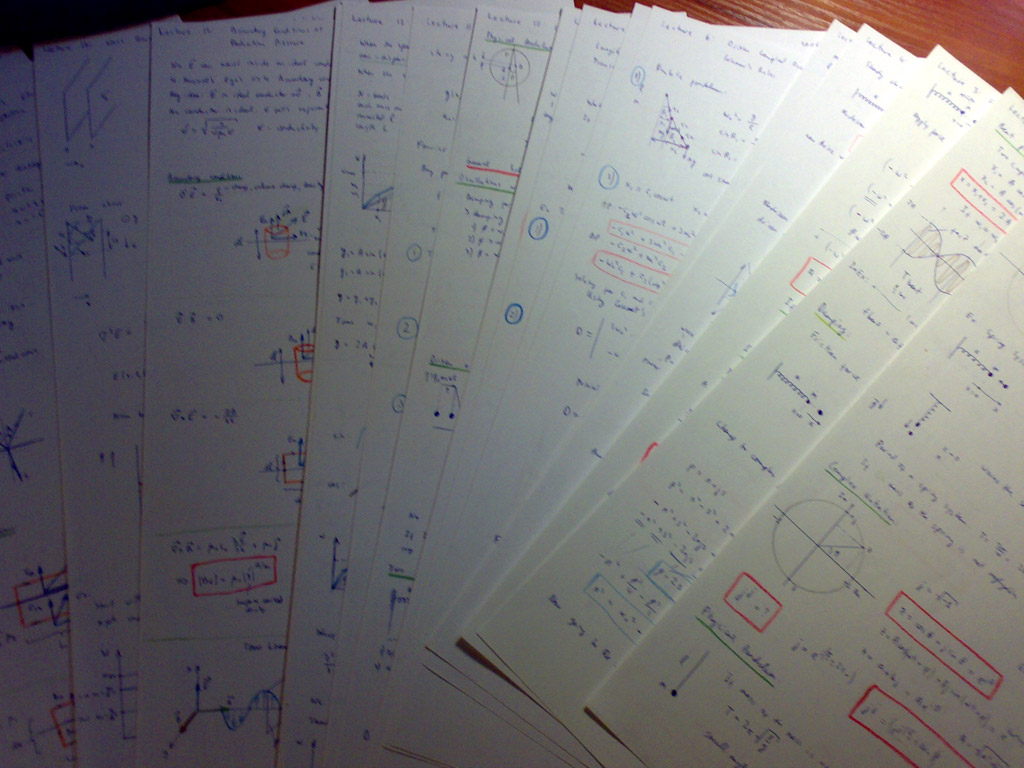
I am serious about physics and maths video lectures, as you can see in the image, all the main results are boxed in red, the results are fully derived (even if the professor does not do it on blackboard). Btw, one lecture perfectly fits on both sides of an A4 sheet.
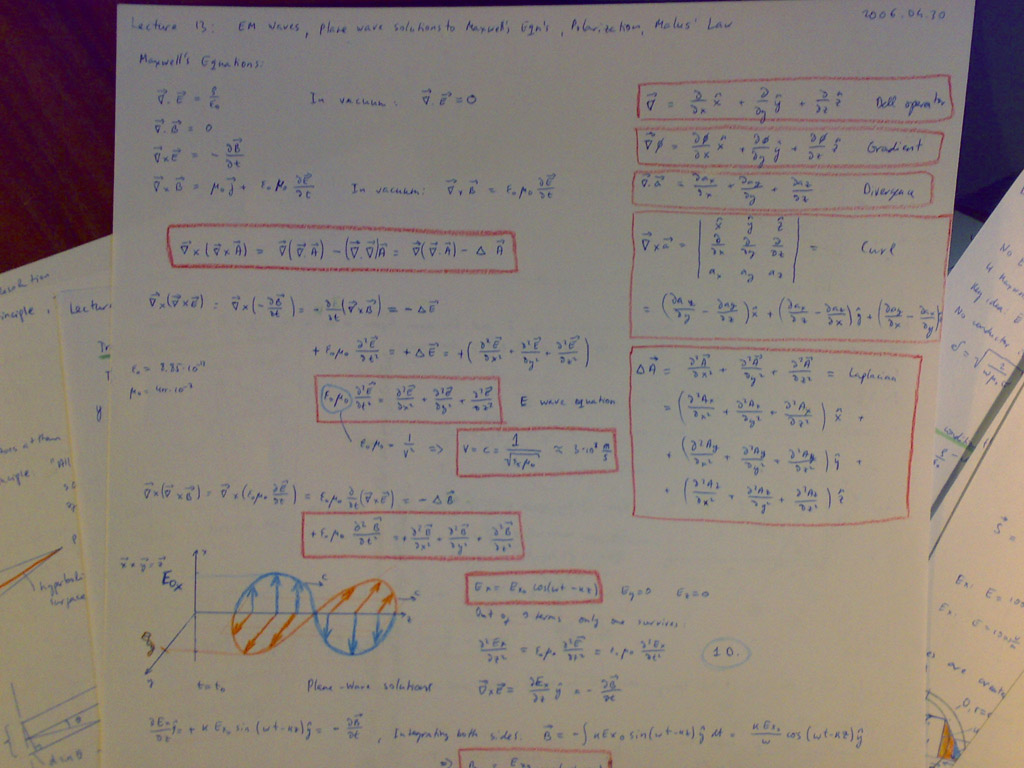
Here is a close-up of Lecture 13: Electromagnetic Waves - Plane Wave Solutions to Maxwell's Equations - Polarization - Malus' Law.
This approach probably does not work with programming languages and computer tools. Because mathematics and physics is mostly done on paper, watching these video lectures and taking notes is actually doing them. The process of taking notes develops the skills because you work with the new concepts, operators, theorems, and other math terms. Not so in programming languages. You can read a book on a new programming language and you won't even be able to write the hello world program because you have only got familiar with the subject and have not developed the skills. I have experienced this myself.
Here is my approach how I am going to learn JavaScript from these lectures. I might adjust this approach at any moment if I find it not working, I will update this post appropriately then.
I will definitely watch all 11 video lectures. I will start with the first four basic lectures, watch them one by one, take notes as with physics video lectures and experiment as I go.
I will be taking notes lightly to have my mind really think the information I am getting over. But no red boxes around constructs as with physics. That's the experimentation part to learning. I am going to try the new constructs as soon as I see them so they stuck in my mind better.
Update: I dropped the idea of taking any notes on paper, because I am blogging the key points from lectures here.
Also to make this article interesting, I will annotate each lecture if something really interesting catches my eye. As I mentioned, I have programmed JS before so I am not sure how much I will learn from the first four basic lectures.
In my previous blog post I used Windows Script Host to create a program in VBScript. The other language the same scripting host runs is JScript which conforms to the same standard as JavaScript. So I should be safe doing JavaScript experimentation in JScript.
Points that caught my attention in JavaScript Video Lecture Part I:
- (00:45) World's most misunderstood programming language - has "Java" in its name and "Script". It has nothing to do with Java programming language and it's a real programming language not some tiny scripting language
- (02:38) There are generally no books available to learn JS from - all are bad and full of nasty examples
- (02:56) The only book recommended is JavaScript: The Definitive Guide, 5th Edition - it's the least bad book
- (03:37) JavaScript is a functional language
- (08:12) Microsoft reverse engineered original implementation of JavaScript and called it JScript to avoid trademark issues
- (09:49) During standardization, the original bugs were left as is without fixing to prevent already written programs from breaking (Douglas slips and says "Sun" but he actually means "Microsoft")
- (12:16) One of the key ideas of the language is prototypal inheritance where objects inherit from objects and there are no classes
- (12:45) One other key idea is that functions are first-class objects
- (13:36) There are no integers in the language, everything is represented as 64-bit floating point numbers
- (14:30) NaN (Not a Number) is not equal to antyhing, including NaN. Which means NaN == NaN is false
- (15:22) Type of NaN is Number
- (15:52) + prefix operator does the same thing as Number function
- (16:08) Generally always specify radix argument in parseInt function because if the first character is '0' and there is no radix argument provided, it will assume that '0' to be an octal constant
- (17:15) Each character takes 16-bits of memory
- (17:56) There is no separate character type in JS, characters are represented as strings with a length of 1
- (19:55) undefined is the default value for uninitialized variables and parameters
- (20:38) Falsy values are: false, null, undefined, "", 0, NaN. All other values (including all objects are truthy). Everything else in the language are objects
- (22:15) Object members can be accessed with dot notation Object.member or subscript notation Object["member"]
- (22:59) The language is loosely typed but not "untyped"
- (25:19) Reserved words are overused, they can't be used in dot notation as method names
- (27:25) Operators == and != can do type coercion, so it's better to use === and !=== which do no coercion
- (28:24) Operator && is also called the 'guard operator', Operator || is also called the 'default operator'
- (30:16) The bitwise operators convert the operand to a 32-bit signed integer, perform the operation and then turn the result back into 64-bit floating point. Don't use bitwise operators in cases like multiplying by 4 using << 2. It will not.
After having watched the first lecture I decided that there was no point in taking notes on paper because I am blogging the key points here and trying various examples I can come up with with JScript, taking notes just wastes time.
Points that caught my attention in JavaScript Video Lecture Part II:
- (00:20) Break statements can have labels
- (00:41) Iterating over all the members of an object with for (var name in object) { } syntax, will also iterate over inherited members
- (06:10) There is only global and function scope in JavaScript, there is no block scope
- (07:40) If there is no expression in a return statement, the value returned is undefined. Except for constructors, whose default return value is this
- (08:29) An object is an unordered collection of name/value pairs
- (21:10) All objects are linked directly or indirectly to Object.prototype
- (23:42) Array indexes are converted to strings and used as names for retrieving values
Points that caught my attention in JavaScript Video Lecture Part III:
- (00:29) Functions inherit from Object and can store name/value pairs
- (02:00) The function statement is just a short-hand for a var statement with a function value
- (02:35) Functions can be defined inside of other functions
- (03:08) JavaScript has closures
- (07:29) There are four ways to call a function: function form, method form, constructor form and apply form
- (10:00) this is an extra parameter. Its value depends on the calling form
- (10:30) When a function is invoked, in addition to its parameters, it also gets a special parameter called arguments
- (11:53) Built-in types can be augmented through (Object|Array|Function|Number|String|Boolean).prototype
- (14:09) The typeof prefix operator returns 'object' for Array and null types
- (15:23) eval() is the most misused feature of the language
- (21:57) In web browsers, the global objects is the window object
- (22:51) Use of the global namespace must be minimized
- (23:11) Any variable which is not properly declared is assumed to be global by default
- (23:45) JSLint is a tool which helps identify weaknesses
- (24:21) Every object is a separate namespace, use an object to organize your variables and functions
- (27:15) Function scope can create an encapsulation
Points that caught my attention in JavaScript Video Lecture Part IV:
- (03:30) The language definition is neutral on threads
- (11:20) When the compiler sees an error, it attempts to replace a nearby linefeed with a semicolon and try again
- (12:51) Do not use extra commas in array literals. Netscape will tell you that length of [1,2,3,] is 3 while IE will tell it's 4
- (18:48) Key ideas in JavaScript - Load and go delivery, loose typing, objects as general containers, prototypal inheritance, lambda, linkage through global variables
These four lectures gave me much better theoretical understanding of JavaScript but just a little better practical skills. I should do a project entirely in JavaScript to become more skillful.
I can't wait to see the Advanced JavaScript lectures. At the end of the 4th lecture Douglas said that they will continue with theory of DOM which I will follow and only then continue with Advanced JS.
Points that caught my attention in The Theory of the DOM Part I:
- (03:31) A scripted web browser, Netscape Navigator 2, was first introduced in 1995
- Best thing happened to have standards work was Mozilla abandoning the Netscape layer model in favor of the W3C model
- (10:03) List of browsers Yahoo! wants their JavaScript library to run on are FireFox 1.5, FireFox 2.0, Safari 2, Internet Explorer 6, IE 7, Opera 9
- (12:11) The <script> tag first appeared in Netscape Navigator 2
- (13:05) <!-- --> comment around script was a Netscape 2 hack for Mosaic and Navigator 1.0
- (14:51) W3C deprecated language=javascript attribute in script tags, don't put it there anymore
- (18:48) If you call document.write before onload it inserts data into the document, if you call it after, it replaces the document with the new stuff
- (20:25) name= is used to identify values in form data and to identify a window or frame
- (20:45) id= is used to uniquely identify an element so that you could get access to it
- (20:59) Microsoft introduced document.all as a super-collection of all elements with name or id
- (21:39) W3C instead said use document.getElementById(id) and document.getElementsByName(name)
- (23:41) Document tree structure is different for IE than for other browsers because Microsoft decided to depart from W3C standard and not to include whitespaces as text nodes in the tree
- (25:02) document.body gets you to body node of the tree, document.documentElement gets you to the html root tag of the tree
After watching this lecture I decided to add time where each point that caught my attention happened so that if anyone is interested in any of the points he/she could just fast forward to that place in the video. Eventually I will go through the videos up to this one once more and add timestamps.
Points that caught my attention in The Theory of the DOM Part II:
- (04:32) The guy designing CSS chose a not so appealing names to a programmer for CSS style names. JavaScript guys converted those to camel case in JavaScript which is probably the least compatible with CSS style names
- (08:31) Replacing a child is done with "java oriented, model based, nothing in common with reality sort of api" through old.parentNode.replaceChild(new, old) where you specify old twice
- (09:03) It is important to remove any event handlers from the object before you delete it
- (10:10) Microsoft and their Internet Explorer were the first to realize that it is convenient to provide access to HTML parser and provided innerHTML property which can be assigned a string containing HTML directly
- (10:50) There is no standard describing innerHTML property
- (12:12) The browser has an event-driven, single-threaded, asynchronous programming model
- (12:55) There are three ways to adding event handlers - classic mode (node["on" + type] = func), Microsoft mode (node.attachEvent("on" + type, func)) and W3C mode (node.addEventListener(type, func, bool))
- (14:50) Microsoft does not send an event parameter, they use the global event object instead.
- (15:58) There are two ways how events are handled - trickling and bubbling
- (17:23) The extra bool parameter in W3C mode of adding event handlers node.addEventListener(type, func, bool) tells whether the events are processed bottom up (bubbling) or top down (trickling)
Points that caught my attention in The Theory of the DOM Part III:
- (01:26) Hugest memory leaks happen in IE 6
- (01:33) Because of that you must explicitly remove event handlers from nodes before deleting or replacing them
- (06:49) self, parent and top are aliases of window object
- (08:10) A script can access another window if and only if document.domain === otherwindow.document.domain
- (10:10) There are three ways to get cross browser compatibility - browser detection, feature detection, platform libraries
- (11:20) Internet Explorer 1.0 identified itself as "Internet Explorer" but many sites refused to serve the contents complaining that it was not "Mozilla" so in version 1.5 IE identifies itself as "Mozilla"
- (12:16) Browser detection cross compatibility is the least recommended way
- (15:37) Platform library cross compatibility is the most recommended way
- (15:35) Platform library cross compatibility is the most recommended way
- (18:48) No browser completely implements the standards and much of the DOM is not in any standards. If there was a 100% standards compliant browser, it would not work!
- (19:19) When programming DOM: 1) do what works; 2) do what's common; 3) do what's standard
Okay, I watched the whole Theory of DOM course and have gained good theoretical knowledge but basically no practical skills. To get better with the JavaScript and DOM will require me to do some interesting practical projects with both of these guys.
Now I am off to watch Advanced JavaScript lectures and then the remaining.
Points that caught my attention in Advanced JavaScript Part I:
- (01:20) In prototypal inheritance objects inherit directly from objects, there are no classes
- (01:30) An objects contains a "secret link" to another object. Mozilla calls it __proto__
- (03:36) If looking for a member fails, the last object searched is Object.prototype
- (07:50) When functions are designed to be used with new, they are called constructors
- (08:13) new Constructor() returns a new object with a link to Constructor.prototype
- (09:40) Always have your constructors named with a capital letter so you at least develop reflex for putting a new in front of it
- (09:48) Forgetting the new still makes code work but it does not construct a new object. This is considered one of the language design errors
- (10:00) When a new function object is created, it is always given a prototype member
- (10:49) "Differential inheritance" is a special form of inheritance where you specify just the changes from one generation of objects to the next
- (17:24) JavaScript doesn't have an operator which makes a new object using an existing object as its prototype, so we have to write our own function
- (18:50) A "public method" is a function that uses this to access its object
- (21:55) Functions can be used to create module containers
- (25:01) "Privileged methods" are functions that have access to "secret" information and they are constructed through closures
- (28:05) "Parasitic inheritance" is a way of creating an object of an augmented version an existing object.
Points that caught my attention in Advanced JavaScript Part II:
- (06:30) Pseudoclassical patterns are less effective than prototypal patterns or parasitic patterns
- (09:06) Inner functions do not have access to this
- (09:32) In JavaScript 1.0 there were no arrays
- (10:31) When arrays got added, arguments object was forgot to be converted to Array object and it continues to be an array like object
- (15:47) There are debuggers for IE - Microsoft Script Debugger, which is bad and two debuggers built in Visual Studio and Office 2003. Mozilla has Venkman and Firebug. Safari has Drosera
- (17:30) funny instruction on how to get debugger working with Office 2003 :D
- (24:29) All implementations of JavaScript have non-standard debugger statement which cause a breakpoint if there is a dubgger present
Points that caught my attention in Advanced JavaScript Part III:
- (04:20) Array join() method is much faster for concatenating large set of strings than using operator +
- (07:03) Just have the server gzip the JavaScript source file to minimize the load times, avoid tools which can introduce bugs such as minificators and obfuscators
- (07:19) JSON
The advanced JavaScript lectures provided lots of idioms and patterns used in the language. I did not do much experimentation and have really grasped just the concepts and overall structure of these advanced concepts.
Now I am going to watch "Advancing JavaScript with Libraries" by John Resig, creator of the jQuery JavaScript library and author of Pro JavaScript Techniques. He's a Mozilla technologist focused on the relationship between Mozilla and the world of JavaScript libraries.
Interesting points from Advancing JavaScript with Libraries Part I:
- (08:20) In IE7 basically the only change to JavaScript was to XmlHTTPRequest object
- (25:14) There are two standards for querying the DOM document - XPath and CSS 3 selectors
- (26:13) IE doesn't have very good CSS selector support, because of that users have been using the very minimum of CSS selectors which almost equates CSS 1
- (27:30) jQuery allows selecting elements from the DOM by using CSS 3 selectors which is done in one line of jQuery code instead of 20 - 25 lines of just JavaScript DOM code
Interesting points from Advancing JavaScript with Libraries Part II:
- (05:15) Users are expecting the DOM selectors to behave more like CSS, that is like when a new CSS selector is added, it propagates to all the elements affected. The users expect the same to happen when a chunk of HTML is added to the DOM, that the handlers get added to them without re-running any code
- (12:30) Object Relational Mappings
- (14:50) Libraries create new patterns on top of existing APIs
There were not that many points that got me interested because it was pretty obvious stuff. It was just interesting to see that the DOM is not perfect and there are many bugs which one or the other browser fails, why they fail and how to solve these DOM related problems. Also typical programming meta-problems were discussed such as JavaScript trying to get elements before browser has loaded the DOM, how the white spaces are treated and what methods to use for navigating the DOM. Later the lecture went on how to query the DOM tree using jQuery and mix of XPath and CSS 3. Then it is discussed how injecting HTML in an existing document is done, what's tricky about it and what problems can arise. Finally the lecture continues with FUEL and object relational mappings.
The other lecture I watched was "Maintainable JavaScript" by Nicholas Zakas. He is an engineer on the team that brings you My Yahoo!, one of the most popular personalized portals on the web. He is also the author of two books on frontend engineering, including Professional JavaScript for Web Developers, one of the best tomes of its kind.
Interesting points from Maintainable JavaScript:
- (01:15) It is estimated that as much as 80% of time is spent maintaining existing code
- (04:30) Maintainable code is understandable, intuitive, adaptive, extendable and debuggable
- (16:20) There are three layers on the client side - JavaScript for behavior, CSS for presentation and HTML for structure
- (23:42) Programming practices
- (26:30) Namespace your objects
- (32:10) Avoid null comparison, use instanceof or typeof operators
- (37:15) Write code in separate JavaScript files and use a build process to combine them
- (40:47) Summary of writing maintainable code - code conventions, loose coupling, programming practices and build process
There are not that many interesting points anymore because most of the stuff has been covered in the previous lectures. Apart from that these lecture did not teach me much new because this stuff was pretty obvious. The only point to watch this lecture is to refresh all these obvious suggestions - agree on indentation and naming conventions in your team, comment difficult algorithms and large sections of code, don't write obvious comments, comment hacks, loose coupling, careful use of complex code and design patterns, etc.